 Inventory & Orders
Items & categories
Organise products into categories with SKUs, units, price and a low-stock warning level.
Inventory & Orders is a simple stock management app for small businesses. Track items and expiry dates, scan barcodes, run cycle counts, log expenses and invoice straight from a sales order — all from your phone.
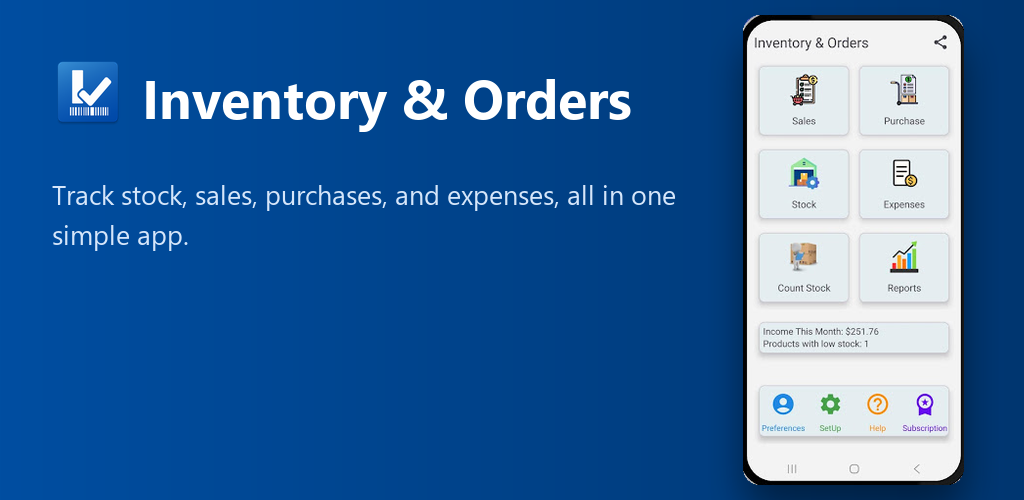
The core of a warehouse management system, simplified for small businesses, shops and stockrooms.
Organise products into categories with SKUs, units, price and a low-stock warning level.
Name locations your way — Store1, Store2 — or generate a whole range at once, e.g. A10101 to A10120.
Scan with your phone camera to add items, receive stock and count faster.
Flag an item for expiry control and get warned before stock goes out of date.
Count by item or by location and correct differences without a full stock-take.
See what's running low and what's expiring soon, before it becomes a problem.
Generate a PDF invoice straight from a sales order, with your own company details on it.
Log expenses by category and see totals on a chart, for any date range.
Bring in your existing spreadsheet in minutes and export your inventory any time.
Back up your full database to a file and restore it on any device, any time — your data stays under your control.
Real screens from the app, not mockups.
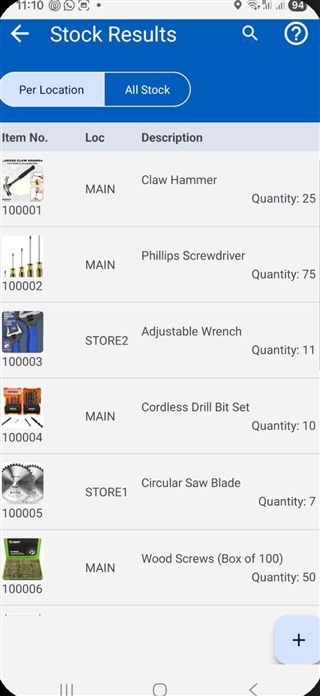 Stock by item & location
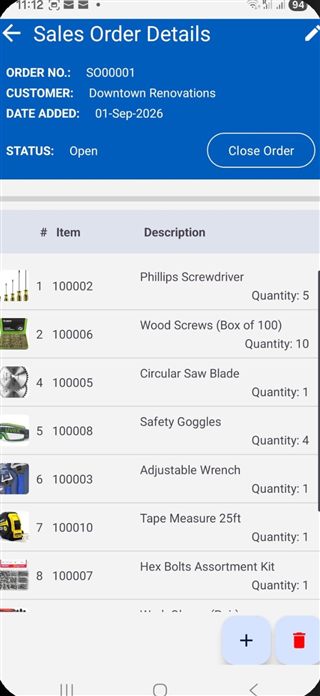 Sales order details
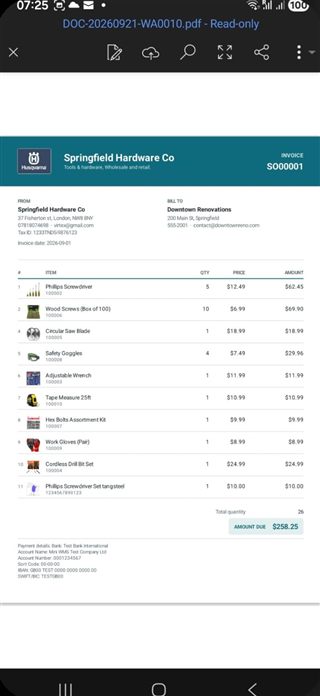 Invoice, from a sales order
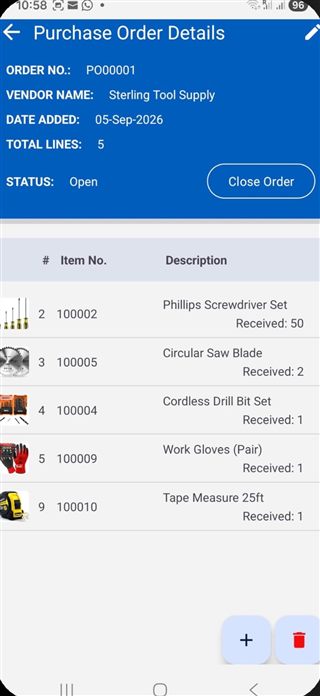 Purchase order details
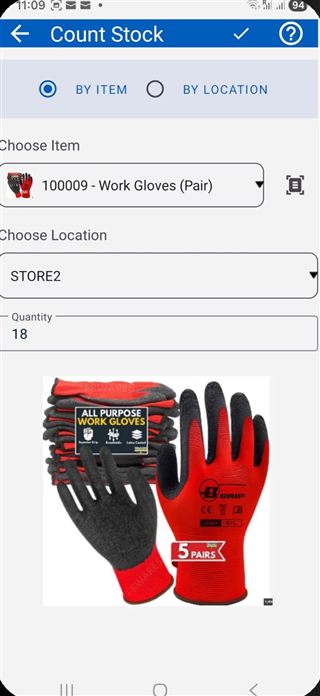 Cycle count, by item or location
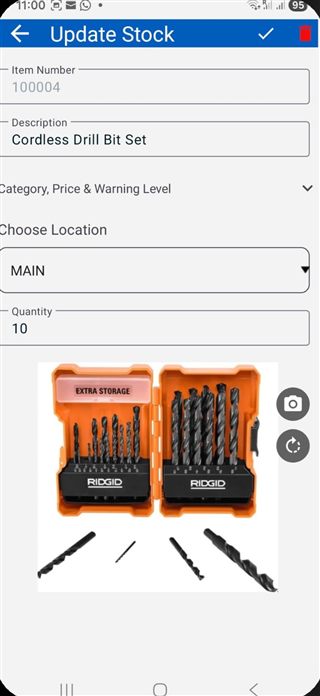 Update stock & location
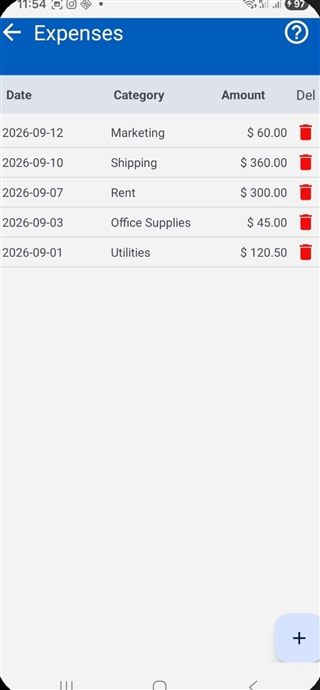 Expenses, by category
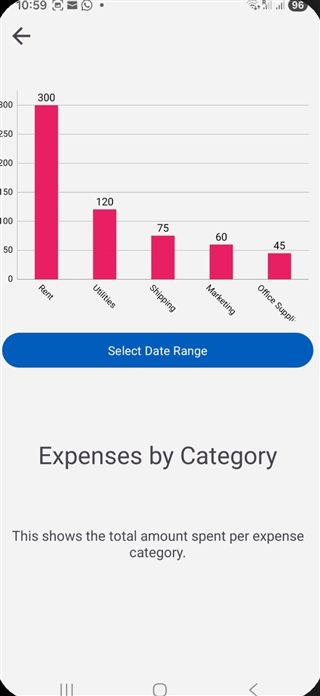 Expense totals chart
Most simple inventory apps only count quantities. Inventory & Orders tracks each item's expiry date, so you always sell or use the oldest stock first.
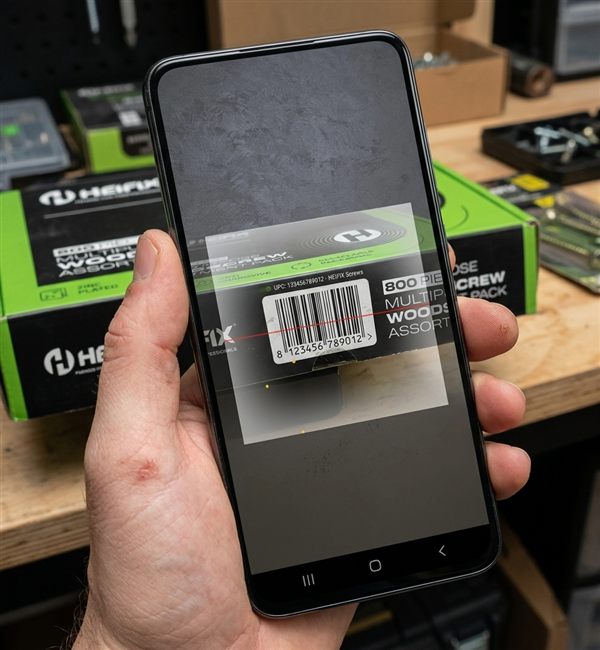
Every screen that needs an item number — adding, receiving, counting — opens straight into your phone's camera, so no one's typing item numbers off a box by hand.
Try it on your stockroomIf you keep stock, it works for you — no barcode hardware or PC software needed.
No setup fees, no training.
Download free from Google Play on any Android phone or tablet.
Scan barcodes, type them in, or import your Excel list.
Receive, sell, issue and count stock — reports update automatically.
Can't find an answer? Contact us using the link at the bottom of the page.
Yes. You can start on the free plan. A subscription unlocks higher limits and the full feature set, with a free trial first.
Yes. Each item can be flagged for expiry control, and the expiring-stock report shows what needs to be used or sold first.
Yes. Use your phone camera to scan barcodes when adding items, receiving stock or counting.
Yes. Generate a PDF invoice directly from a sales order, with your own company details on it.
Yes. Import items and stock from an Excel file and export your inventory back to Excel at any time.
Back up your full data to a file from inside the app, and restore it on any device, any time.
English, Arabic, German, Spanish, French, Italian, Japanese, Malay, Dutch, Polish, Portuguese, Russian and Simplified Chinese.
Inventory & Orders is currently available for Android on Google Play.
Free to download. Start tracking stock and expiry dates in minutes.
Get it on Google PlayAvailable in English · العربية · Deutsch · Español · Français · Italiano · 日本語 · Bahasa Melayu · Nederlands · Polski · Português · Русский · 简体中文